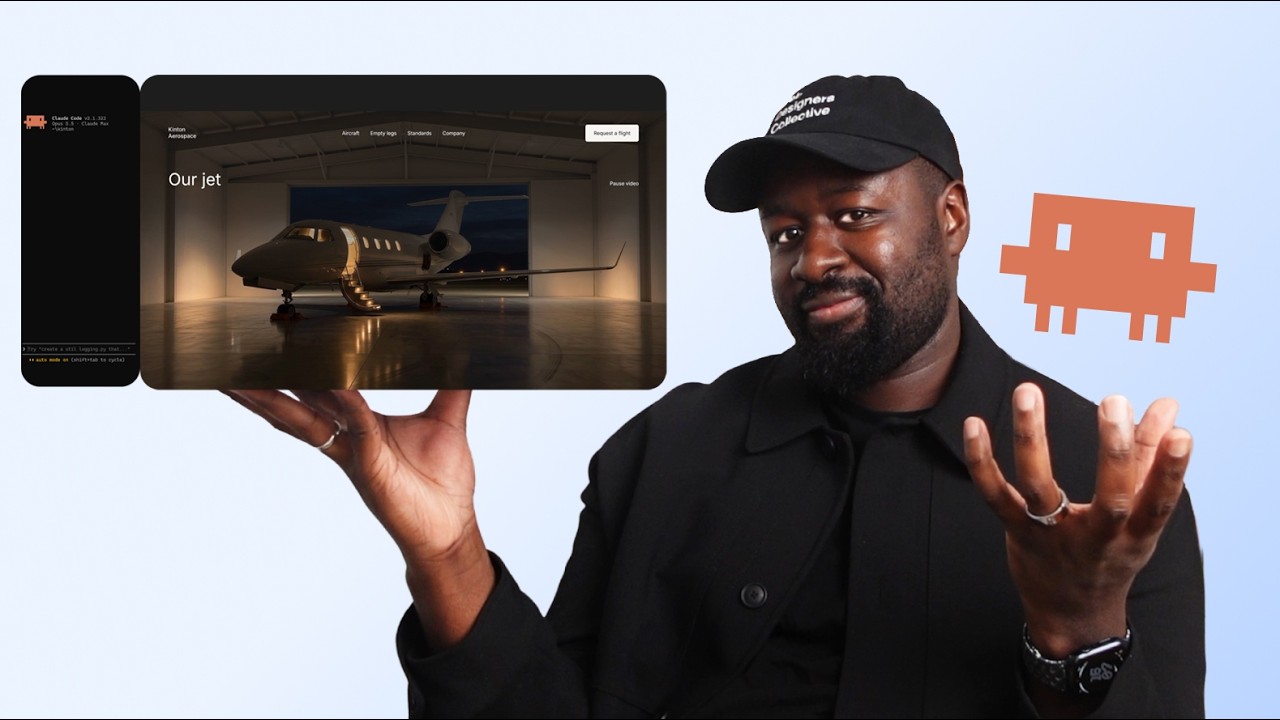
Claude Code for Web Designers: Design to Live Site | Full Course

OPULENTIX
Official Channel
Most AI coding tutorials skip the actual craft of web design and jump straight into generic prompts that spit out cookie-cutter templates. This full-length course flips that approach on its head, proving that great AI-assisted development still begins with thoughtful visual design. Over more than two and a half hours, you follow a complete client website from an empty brief all the way to a live, deployed URL.
Starting With Real Design Foundations
Long before opening a terminal or talking to an AI tool, the course puts on the designer hat. It opens by dissecting a realistic client brief, pulling together a mood board, and mapping out clear wireframes. From there, you see how a cohesive design system comes together piece by piece—defining color palettes, balancing light and dark mode contrast, and locking in typography, spacing, and layout grids so every decision feels intentional.
Designing the Interface Down to the Details
Once the rules of the system are set, the visual layout takes shape. You watch the homepage evolve from rough structure into a refined interface, complete with headers, footers, buttons, hero spacing, and final visual polish. There is even room for memorable, brand-specific touches—like an interactive cabin light switch paired with moody night photos—showing how personality and usability work hand in hand before development ever begins.
Handing the Design Over to Claude Code
The second half of the journey bridges the gap between static mockups and working code across three structured build sessions. Rather than throwing random instructions at Claude Code, the workflow emphasizes setting up the environment properly and planning the build first. Session 1 brings the homepage to life and reviews the output critically. Session 2 expands the site with a dedicated aircraft page, demonstrates how Claude Code can extrapolate pages that have no preexisting design mockup, and implements a functional request form.
Responsive Testing, Accessibility, and Going Live
A website is never finished just because it looks good on a laptop screen. In Session 3, the focus shifts to real-world quality control—checking how the layout scales up on big screens, tightening the experience on mobile phones, and running a proper accessibility check so the site works well for every visitor. Finally, the completed project is pushed online, closing with clear guidance on where to take your skills next. For web designers curious about turning their own concepts into live websites without surrendering creative control, this end-to-end walkthrough hits the sweet spot.
Up Next / Watch Later
 ▶ PLAYING
Build Your First 2D Game in Godot: Complete Beginner Tutorial
OPULENTIX
5 views • 1 day ago
 ▶ PLAYING
Build a Free No-Code AI Agent with Hermes: Ultimate Guide
OPULENTIX
9 views • 1 week ago
 ▶ PLAYING
Free NVIDIA AI Infrastructure Course (NCA AIIO Certification)
OPULENTIX
6 views • 1 week ago
 ▶ PLAYING
Complete Unreal Engine 5 Course: Build Games from Scratch
OPULENTIX
6 views • 1 week ago
 ▶ PLAYING
Git & GitHub Crash Course for Beginners: Every Essential Command Explained
OPULENTIX
4 views • 1 week ago
 ▶ PLAYING
Learn Linux: The Full Beginner Course (Terminal, Permissions & More)
OPULENTIX
6 views • 1 week ago